Send Method
Choose how this template is triggered
Tracking & Follow-up
Building blocks
Click or drag a block to add it to the email.
Saved blocks
0Select a block on the canvas, then click Save this block to add it here for reuse.
No saved blocks yet
No saved blocks match your search
The editor could not load
The preview is still available, but the block canvas needs GrapesJS to finish loading before you can edit.

Welcome to {{SCHOOL_NAME}}
Your application journey starts here

A warm welcome to your family
We're delighted you're considering {{SCHOOL_NAME}} for {{STUDENT_FIRST_NAME}}'s next chapter. This email contains everything you need to begin your application — key dates, the documents we'll ask for, and how to reach us along the way.
Dear {{FIRST_NAME}},
Thank you for taking the time to apply. Our team has just received {{STUDENT_FIRST_NAME}}'s details and we'll be in touch personally within the next 48 hours.
In the meantime, your application portal is open and ready — no question is too small, and a real person will reply to anything you send. From the portal you can:
- Track your application status in real time
- Upload supporting documents securely
- Schedule visits, tours and assessments
- Send a message directly to your assigned admissions advisor

|
— Dr Helena Marsh, Head of Admissions |
Key dates to remember
Add these to your calendar — we'll send a friendly reminder a week before each.
| Date | What's happening |
|---|---|
| 14 May 2026 | Open Day & campus tour |
| 30 June 2026 | Application deadline |
| 12 July 2026 | Assessments & interviews |
| 28 July 2026 | Decision letters issued |
What you'll need
Please have these ready before you start the application:
- Birth certificate or passport for {{STUDENT_FIRST_NAME}}
- Most recent school report (last academic year)
- Two reference letters — one from a current teacher, one personal
- A short personal statement from {{STUDENT_FIRST_NAME}} (200–400 words)
- Application fee of £75 (waived for bursary applicants)
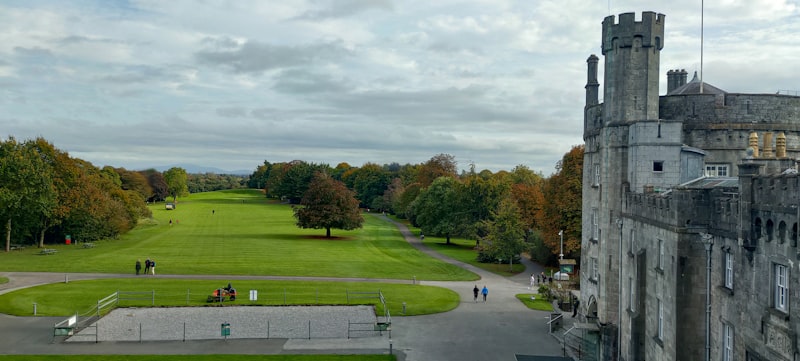
Why families choose Arbor
A learning environment built around small classes, university-track outcomes, and specialist pathways in STEM, the Arts, and modern languages — all set in 35 acres of Cambridgeshire countryside.
"My daughter has flourished here. The teachers really see her — and her confidence has grown beyond anything we hoped for."
— Mira P., parent, Year 8
01 — Apply
Submit your application form via the portal.
02 — Visit
Tour the campus and meet your child's potential teachers.
03 — Decide
Receive a personal decision letter and join the Arbor family.
If you have any questions along the way, simply reply to this email — a real person will read it.
Warm regards,
Dr Helena Marsh
Head of Admissions, {{SCHOOL_NAME}}


Arbor School · 123 Education Lane, Cambridge CB2 1TN, UK
admissions@arborschool.edu · +44 1223 456 789
Edit this block with AI
New heading
New paragraph. Edit this text to say what you want.
Left column content.
Right column content.
Welcome to Our School
From Arbor School Admissions <admissions@arborschool.edu> · Reply-to replies@arborschool.edu · To Patricia Wilson
Preview only — no email will be sent. Tokens resolved for Patricia Wilson.
Remove saved block?
this block will be removed from your saved blocks. This can't be undone.
Save this block
It appears under Saved blocks and on this block's label.
Update this saved block
Overwrite this saved block with the current content of this block?
Update changes the saved block and future inserts. Update and apply to all instances also overwrites every place this block is already used.
Apply to all instances?
This will overwrite this block in 0 other templates that use it:
Reset this block?
This block's content will be replaced with the latest saved version. Any local edits to this block will be lost.
Detach this block?
It becomes a normal block again and is no longer linked to the saved block. The saved block itself stays in your library.
Edit saved block
Select a block on the canvas first to enable content replacement.
Test old template
Paste an existing CKEditor email template HTML below. Use the Source button to view or edit raw HTML. Apply replaces the current canvas with the imported content.